
Dreamcore Playrooms Tips: Enjoy the Liminal Rooms
How to play Playrooms for the dreamcore atmosphere: fear settings, a no-minimap route, the best liminal rooms and the pacing that makes the building feel real.
Quick answer: Playrooms is best read slowly. Lower the fear setting if you want the atmosphere without the jumpscares, keep the sound on, walk the door chain in order and treat each of the eight areas as a chapter rather than a quota. There is no minimap, so the route is the map; the yellow Backrooms, the waiting room, the hotel corridors and the pool tiles are the four places worth slowing down for.
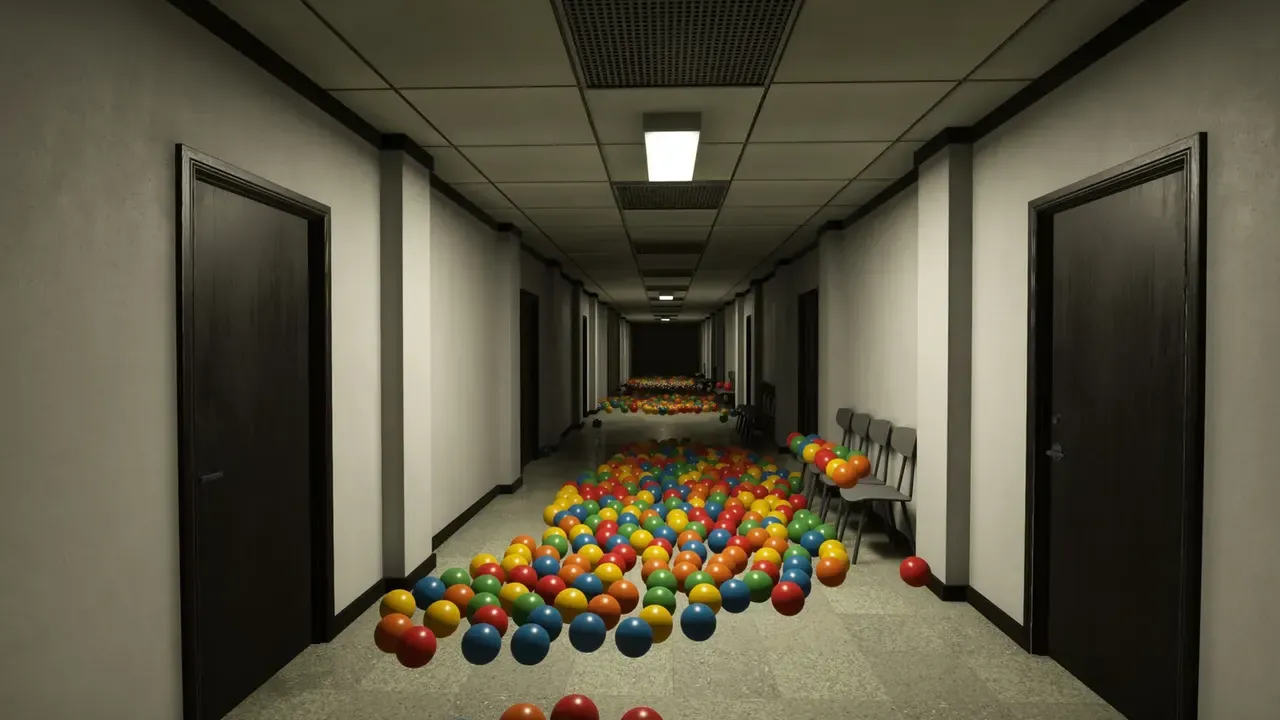
Set the fear level before anything else
The first decision is not which room to clean. It is how much horror you want. Playrooms ships with a fear setting that ranges from no scares to a version with real consequences, and the low setting does not lock achievements. Players call the low setting Cozy Mode even though the menu does not use that exact phrase.
For a dreamcore run, the low setting is usually the right one. The appeal of a liminal space is the quiet, the hum, the carpet and the sense that the building is waiting. A jumpscare interrupts that mood. The Cozy Mode guide→ explains what the setting changes; the short version is that the rooms, the notes and the cleaning loop stay, while the loudest scares are softened.
If you want the opposite, turn the fear up and accept that the same corridors become a different game. Neither choice is wrong. The mistake is leaving the setting on whatever the game picked for you and then wondering why the mood never lands.
Treat the door chain as the map
Playrooms has no minimap. The route is a chain of doors between themed areas: the Playroom, the Poolroom, the Backrooms, the Waiting Room, the Office, the Hotel, the School and the final pit. The order in the achievement list is a useful route plan, but the developers have not published an official act structure, so the building may send you somewhere else first.
For exploration, follow the doors and remember one landmark per area. The Poolroom has water and split levels. The Backrooms has repeated yellow corridors. The Waiting Room has reception chairs and blind corners. The Office has green carpet and a phone. The Hotel has red corridors that shift. The School has classrooms, lockers and a gym. A single landmark is enough to navigate back without a map screen.
The map and dreamcore guide→ covers the layout in more detail. If you only remember one thing, remember that the Backrooms is the first true maze: identical door frames, identical wallpaper, and a route that stops being obvious the moment you turn around.
Slow down in the four best liminal rooms
Not every area is equally good at the dreamcore feeling. Four are worth a deliberate slow pass:
- The Backrooms. Yellow wallpaper, repeated door frames and the low hum of a place that was never meant to be visited. Walk it once without cleaning anything. The geometry is the point.
- The Waiting Room. Reception chairs, a desk, blind corners and the sense that someone was called and never came back. Check the ceiling and under the chairs for balls while you are there.
- The Hotel. Red corridors that shift and narrow. The shifting is a mechanic, not a scripted scare, which makes it the most unsettling room to explore at a walking pace.
- The Poolroom. Water, tiles and split levels. It is the brightest area and the one that most looks like a real place after hours.
The School and the Office are busier and more mechanical. They are good for the loop, less good for the mood. The final pit is the exit; save it for last and do not walk out before you have seen the rooms you came for.
Keep the sound on and the sprint off
The sound design does more work than any visual. Vents, distant doors, the ball pit settling and the office phone are all cues, and several of them tell you where the building is about to change. Muting the game to listen to music turns the same rooms into wallpaper.
Sprint is useful for the quota and bad for the atmosphere. Walking gives you time to notice the details the art team placed: the exit signs, the notices, the small differences between two corridors that look identical at a run. It also makes the dark sections less punishing, because you hear a threat before you see it. The lights out guide→ covers the blackout sections in detail.
Use the whiteboard as a notebook
The whiteboard is a planning tool, not a decoration. It supports a pen, an eraser, lines, rectangles, circles, four brush sizes, undo and redo. For a slow run, use it to sketch the door chain and mark which rooms you have fully cleared. For a dreamcore run, use it to note the details you want to come back to: a poster, a door that does not open, a room that looks different on a second visit.
The whiteboard also solves the most common navigation problem in the game. Without a minimap, a five-second sketch of the last three doors is faster than trying to remember which yellow corridor led back to the waiting room.
Do not chase the quota on the first pass
The game wants full pits, and the event wants billions of balls, but neither is a reason to rush your first visit. Do a slow pass, then a cleaning pass. The first pass is for the rooms; the second is for the balls you missed. This is also the most efficient way to find the hidden ones, because you are already looking at the furniture instead of the counter.
The practical tips page has the habits that save hours: carry a full load, clear in three passes, buy capacity before automation and leave a room when the pit is full. This page is the other half: why you would want to spend longer in a room than the quota requires.
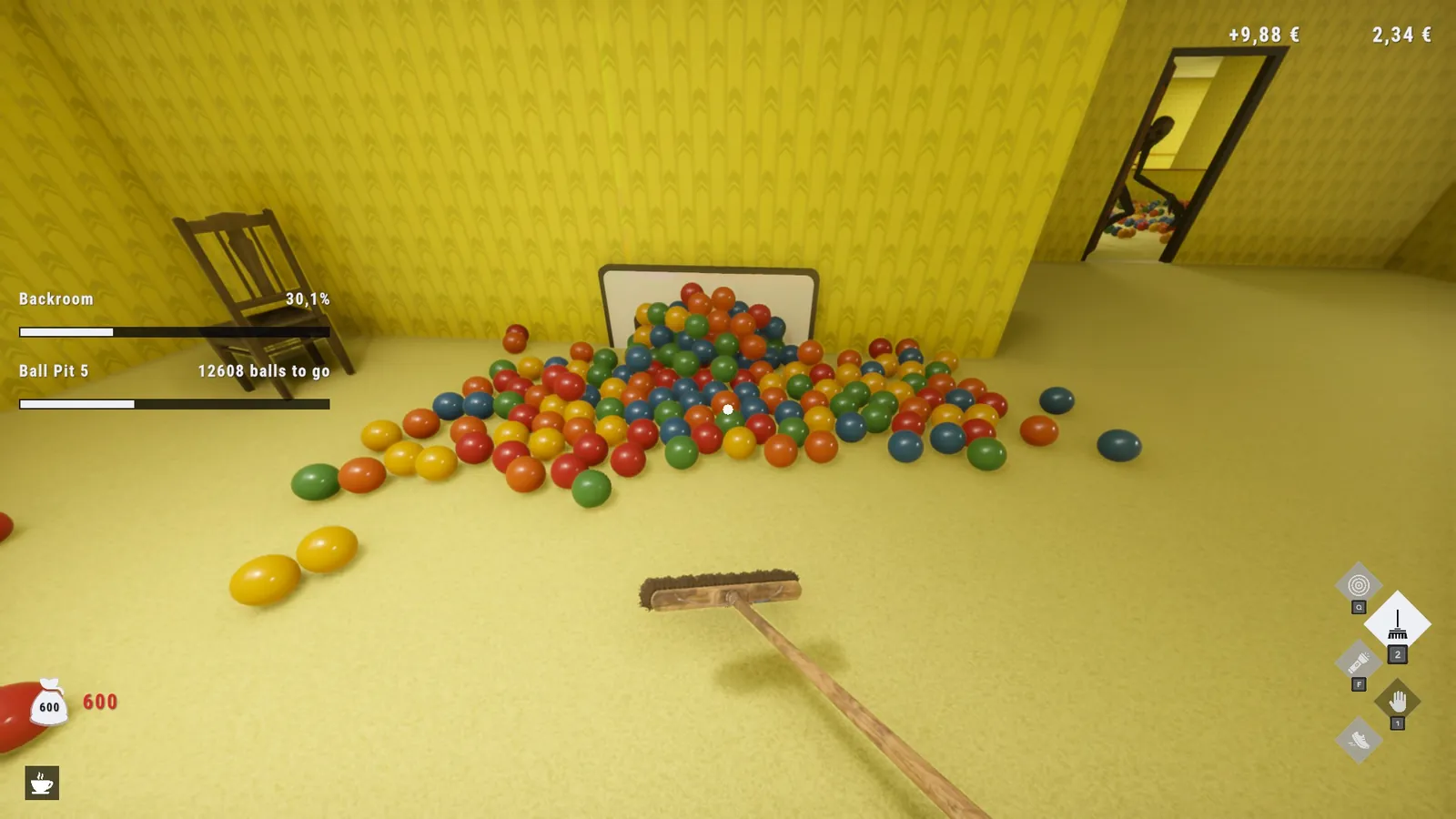
The 1 billion ball community event closes on November 15, 2026. The atmosphere does not. If you miss the event, you still get the same building, the same notes and the same ending.
A short dreamcore checklist
- Lower the fear setting before the first room.
- Walk the first pass, clean the second.
- Keep the sound on.
- Remember one landmark per area.
- Sketch the door chain on the whiteboard.
- Visit the Backrooms, Waiting Room, Hotel and Poolroom without a quota.
- Save the final pit for last.
- Read the office notes as you find them, not at the end.
FAQ
Does Playrooms have a photo mode?
The game does not document a built-in photo mode. Use your platform's screenshot key if you want to capture a room.
Can I enjoy the atmosphere without the horror?
Yes. The low fear setting keeps the rooms and the cleaning loop while softening the scares, and achievements still unlock.
Which room is the most dreamcore?
The Backrooms is the clearest example: yellow wallpaper, repeated corridors and no obvious route. The Waiting Room and the Hotel are close behind.
Do I need to clean every room to see the atmosphere?
No. You can walk the building and leave pits unfinished, but the final area is gated behind earlier progress, so a full run still requires the main rooms.
Is there a minimap?
No. The door chain and landmarks are the navigation tools.
Official sources: Playrooms on Steam ↗, Playrooms Steam news ↗, Playrooms screenshots ↗.